Modern church services often rely on visual content to help the congregation follow worship songs, Bible readings, sermons, announcements, and other parts of the service. A projector, television, LED display, or large screen can become an important part of communication during worship. However, managing all of these visual elements does not have to require expensive or complicated presentation software.
WorshipScreen is a browser-based church presentation platform designed to bring the essential elements of a church service together in one place. It can be used to display worship song lyrics, Bible passages, images, videos, announcements, sermon materials, and countdown timers. Because the system works through a web browser, churches can prepare and operate presentations without installing traditional desktop presentation software.
Most importantly, WorshipScreen is available as a free solution for churches. This makes it a practical option for congregations that need a reliable visual presentation system without adding another expensive software subscription to their church budget.
What Is WorshipScreen?
WorshipScreen is church presentation software created specifically around the practical needs of worship teams and church media volunteers. Instead of requiring separate programs for song lyrics, Bible verses, videos, images, and countdowns, it provides these functions in one browser-based workspace.
The basic idea is straightforward: prepare the visual content for a service in advance, organize it into a playlist, connect the computer or browser to the church display, and then control what the congregation sees during the service.
The platform includes several main areas:
- Worship song lyrics
- Bible passages
- Presentation slides
- Images and videos
- YouTube content
- Backgrounds
- Service countdown timers
This makes WorshipScreen a universal visual tool rather than software limited to displaying lyrics. A single service playlist can include worship songs, Scripture, announcements, videos, sermon references, and other visual materials.
For churches searching for free worship software, this approach can be especially useful because the system focuses on the functions that churches actually need during weekly services.
Why Use Browser-Based Church Presentation Software?
Traditional presentation software often requires installation, configuration, and a dedicated computer. Some church presentation systems can also have a steep learning curve, which can make it difficult for new volunteers to operate them confidently.
WorshipScreen takes a different approach. Since it runs in a browser, there is no desktop application that needs to be installed. A church can create an account, prepare its content, and access the presentation environment through an internet-connected device.
This is particularly useful for churches where different volunteers may operate the presentation from week to week. Once the basic setup is understood, the workflow is relatively simple: create content, organize the service, check the display, and control the presentation.
The browser-based design also makes it possible to control the presentation from different devices. Depending on the setup, a laptop, tablet, or smartphone can be used as the control device, while another screen displays the content to the congregation.
How to Get Started With WorshipScreen
The first step is to create a WorshipScreen account and open the dashboard. From there, the church can begin building its content library and preparing services.
Before creating the first playlist, it is useful to think about the physical setup of the church. The main question is how the presentation will reach the screen that the congregation sees.
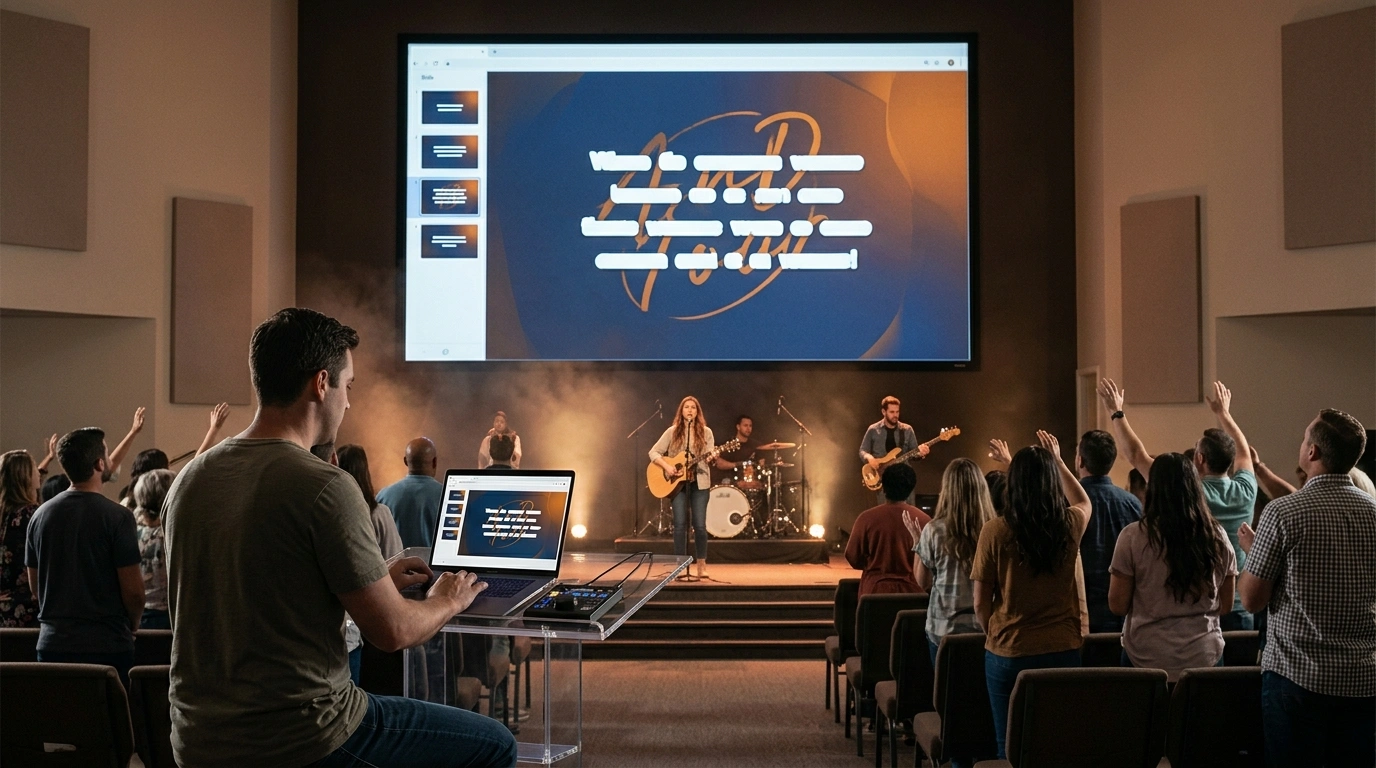
A common configuration is a laptop connected to a projector, television, or LED display using HDMI. In this arrangement, it is recommended to use extended display mode rather than simply mirroring the screen. The operator can then keep the WorshipScreen controls on the laptop while the congregation sees only the presentation.
Another possibility is to use a compatible television with its own web browser. The presentation can be opened directly on the TV while another device is used to control it.
For smaller churches, the ability to operate the presentation from a tablet or smartphone can also be useful. This can eliminate the need for a permanent technical workstation and allow a worship leader or volunteer to control the display from another location in the room.
Preparing the Visual Settings
Before adding songs and Bible passages, it is worth establishing a consistent visual style.
WorshipScreen provides settings for elements such as font, text color, alignment, positioning, and background. These options can be configured before the service content is prepared.
The main priority should always be readability. A presentation may look attractive on a laptop but become difficult to read from the back of a church building. Large, clear text and sufficient contrast are generally more important than decorative effects.
It is also possible to configure a default background for periods when no active content is being displayed. A church logo, welcome image, or simple branded background can make transitions between different parts of the service look intentional.
For example, after the final worship song, the operator can clear the active lyrics and return to a neutral church background instead of leaving the last song visible while the service moves to prayer, announcements, or the sermon.
Building a Church Song Library
One of the most useful features of WorshipScreen is the reusable song library.
Instead of recreating the lyrics for every Sunday service, a church can create each song once and save it to its collection. When the same song is needed again, it can simply be added to the new service playlist.
To create a song, the operator enters its title and lyrics. Existing lyrics can be pasted into the editor, after which WorshipScreen can help generate the presentation slides automatically.
Automatic slide creation saves preparation time, but it is still important to review the result. Lyrics should be divided into logical phrases so that the congregation can comfortably read and sing along.
A good presentation does not try to fit as much text as possible onto one screen. Instead, each slide should contain a manageable amount of text and change naturally with the music.
The song can also be manually edited. This is important because the version performed by a worship team may not always follow the original lyric structure. A chorus may be repeated, a verse may be skipped, or a bridge may be added.
By editing the slide sequence, the presentation can be adapted to the actual arrangement used by the worship team.
Adding Bible Verses for the Sermon
Bible Scripture is another central part of many church presentations.
WorshipScreen allows Bible passages to be added to a service playlist. The operator can prepare the expected Scripture references before the service begins and arrange them in the order in which they are likely to be used.
For example, if a sermon is expected to reference several passages, the media operator can prepare those passages in advance. During the sermon, the correct passage can then be displayed without searching for it from scratch.
This preparation is especially useful when the speaker follows a structured sermon outline.
At the same time, church services do not always go exactly according to plan. A pastor may refer to another Bible passage during the sermon. WorshipScreen allows additional Scripture to be added while the presentation is being managed.
Prepared verses can also be navigated using previous and next controls, making it easier for the operator to follow the speaker.
The important principle is to combine preparation with flexibility. Preparing the known material in advance reduces pressure, while the ability to add content during the service provides a solution when the program changes.
Supporting Multilingual Church Services
Churches with multilingual congregations can also benefit from bilingual presentation options.
WorshipScreen can display song lyrics and Bible passages in two languages at the same time. This can be useful for international churches, multicultural congregations, mission communities, and services where members use different languages.
For example, a worship song can be displayed in its original language together with a translation. Scripture can also be shown in two languages so that members of the congregation can follow the reading more easily.
When using bilingual content, the layout needs to remain simple. Two languages naturally require more screen space, so short lines, appropriate font sizes, and good contrast become even more important.
The objective is not to fill the screen with information but to make the content immediately understandable to the people sitting in the room.
Adding Images, Videos, and Announcements
A church presentation is rarely limited to worship lyrics and Bible verses. Many services also include announcements, event graphics, photographs, promotional videos, sermon illustrations, or other media.
WorshipScreen allows churches to incorporate these materials into the same presentation workflow. Users can upload images and videos or include YouTube content.
This means that a single service can be prepared with a combination of different visual elements. For example, the playlist might include a countdown before the service, several worship songs, an announcement slide, a short video, and Scripture passages for the sermon.
Keeping these materials in one environment can simplify the work of the presentation operator. Instead of switching between multiple applications, the operator can use the relevant section of the WorshipScreen interface.
Video content should always be tested before the service. If a video depends on an online source such as YouTube, the church should also verify that the internet connection is stable enough for playback.
Using the Timer Before the Service
A countdown timer can be useful before worship begins.
WorshipScreen supports countdown functionality that can be used either for a fixed duration or toward a specific start time. A church could, for example, display a five-minute countdown before the service or set the timer to reach a scheduled starting time.
A simple background with clearly visible numbers is usually sufficient. The purpose of the timer is to communicate timing rather than become another distracting visual element.
The countdown can also help the worship team and volunteers establish a consistent beginning to the service.
Creating a Service Playlist
Once the song library and other content are ready, the next step is to create a playlist for the specific service.
A playlist can contain the material needed for that particular occasion. Songs should be added in the expected performance order. Bible passages can be prepared for the sermon, while slides and media can be organized for announcements and other parts of the program.
A useful weekly playlist might contain:
- A pre-service countdown
- The first worship song
- Additional worship songs
- Church announcements
- A video or image presentation
- Bible passages
- Sermon-related slides
- A final background or transition screen
Preparing the entire sequence in advance makes live operation much easier.
The playlist should be treated as a practical service plan rather than simply a collection of files. The operator should know what will be displayed and when it will be needed.
Checking Everything Before the Service
A complete rehearsal of the presentation is one of the most important steps.
Before the congregation arrives, the operator should open the actual playlist and check it on the screen that will be used during the service.
Important points to verify include:
- Songs are in the correct order.
- Lyrics are complete and accurate.
- Chorus and bridge sections appear correctly.
- Bible passages use the intended translation.
- Scripture appears in the correct sequence.
- Images are displayed correctly.
- Videos load and play properly.
- The timer has the correct settings.
- Text is readable from the back of the room.
- Backgrounds are appropriate.
- The default screen is ready for transitions.
This rehearsal can reveal problems that are not obvious when viewing the presentation on a laptop.
It is much easier to correct a spelling mistake, change a background, or reorganize a playlist before the service begins than while the congregation is waiting.
Controlling WorshipScreen During the Service
When the preparation is complete, the presentation can be opened using the live display controls. The output should be moved to the projector, TV, or LED screen, while the operator keeps the control interface on a separate device.
This separation is important. The congregation should see only the intended content, not browser tabs, settings, searches, or presentation controls.
During worship, the operator should follow the music rather than simply changing slides according to a fixed timer. The next lyric slide should appear shortly before the congregation needs the next phrase.
The goal is to make the presentation feel natural. When operated well, the screen supports worship without becoming the focus of attention.
Managing Unexpected Changes
Even the best-prepared church service can change.
A worship leader might decide to repeat a chorus. A pastor might introduce an unexpected Bible reference. An announcement may be added at the last minute, or a song may be changed shortly before the service.
This is where the flexibility of WorshipScreen becomes particularly valuable. Songs and Bible passages can be added or edited while the presentation is being managed.
However, live editing should be considered a backup rather than the normal workflow. The more material that is prepared beforehand, the easier it is for the operator to concentrate on the service itself.
Good preparation gives the presentation team a stable foundation while still leaving room for real-time adjustments.
Why WorshipScreen Can Be a Universal Church Presentation Tool
The main advantage of WorshipScreen is that it combines several common church presentation requirements into one browser-based environment.
A church does not have to think of it simply as software for song lyrics. It can be used as a general visual presentation tool for worship services, Bible readings, sermons, announcements, videos, images, and service transitions.
This makes it suitable for different types of congregations and worship environments. A small church with a volunteer media team can use the same basic workflow as a larger congregation that needs a structured presentation system.
For churches specifically looking for methodist worship software, WorshipScreen can provide the same core presentation workflow needed for Methodist services: displaying hymns and worship lyrics, presenting Scripture, supporting sermons, showing announcements, and managing visual content from one interface.
The software is also suitable for churches that do not have a dedicated media specialist. Because the interface is designed to be straightforward, volunteers can learn the basic workflow without needing extensive experience with professional presentation systems.
A Simple Weekly Workflow
After the initial setup, using WorshipScreen can become a repeatable part of weekly service preparation.
A practical routine is to first update the song library whenever a new worship song is introduced. Next, create a playlist for the upcoming service and add the songs in their performance order.
Then prepare the known Bible passages, upload announcements and media, configure the countdown, and review the visual settings.
Before the congregation arrives, run the complete playlist on the actual display. Check the text, backgrounds, videos, Scripture, and transitions.
Finally, open the live presentation and keep the control interface separate from the congregation’s display.
This process reduces the amount of technical work that has to happen during the service itself.
Conclusion
WorshipScreen provides a practical way for churches to organize visual content for worship services without relying on complicated presentation systems. As a free, browser-based church presentation solution, it brings worship lyrics, Bible verses, sermon materials, images, videos, backgrounds, and timers into one workspace.
The most effective way to use it is to prepare as much as possible before the service. Build a reusable song library, create playlists, prepare Scripture, check media, establish readable visual settings, and test the complete presentation on the actual church display.
During the service, the operator can then focus on following the worship team and speaker, changing content at the appropriate moments, and making small adjustments when the service takes an unexpected direction.
For churches that need a universal tool for organizing what appears on a projector, TV, or LED screen, WorshipScreen offers a simple browser-based workflow that can be used from week to week. Its combination of song management, Bible presentation, slides, media, and live control makes it useful not only for worship lyrics but for the visual organization of the entire church service.




 News2 years ago
 Lifestyle4 years ago
 Lifestyle4 years ago
 Wealth2 years ago